
Overview
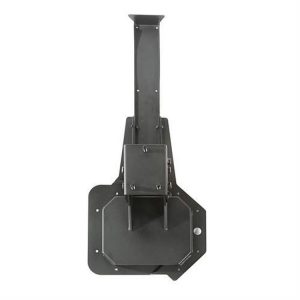
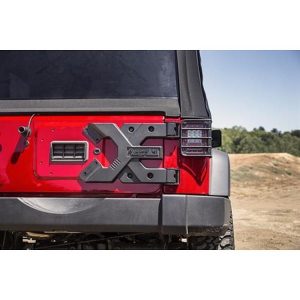
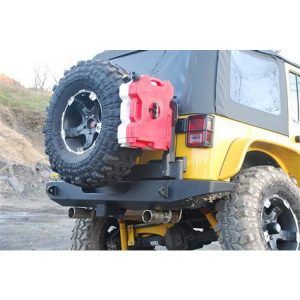
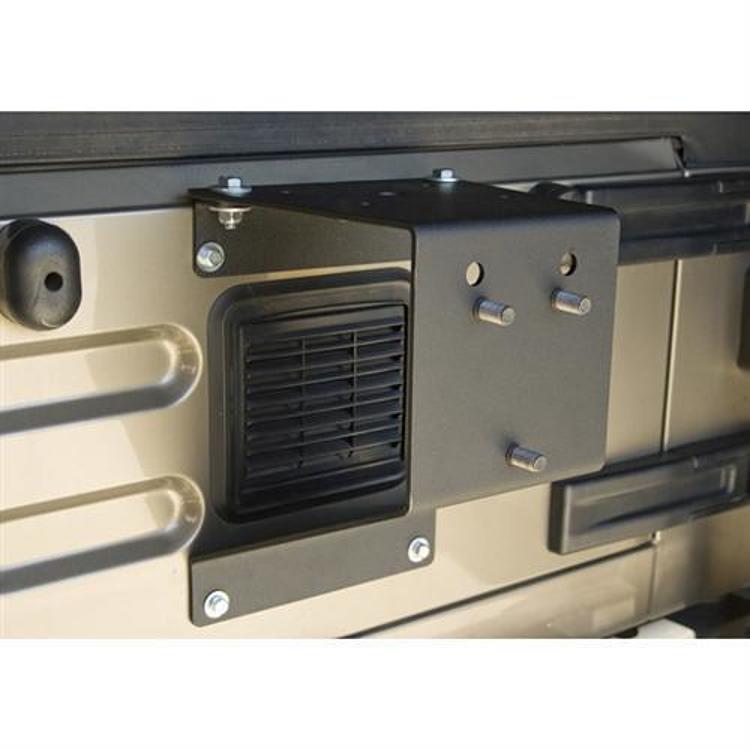
The Rugged Ridge 11585.01 HD tire carrier mount is a black carrier for owners who run larger tires than their factory spare mount was built for. It is made from 1/4 inch steel plate and mounts to the tailgate.
The mount moves the spare two inches out from the factory mount position, which gives larger tire and wheel combinations more clearance. The maximum tire size is 35 inch.
Key features
- Holds up to a 35 inch tire
- 1/4 inch steel plate construction
- Relocates the tire two inches out from the factory mount
- Mounts to the tailgate
- Black finish
Clearance and tailgate use
Carrying a spare on the tailgate changes how the rear of the vehicle works. The tire adds weight to the tailgate and hinges, and it can block access to the cargo area or the tailgate’s opening range. Before a trip, confirm that the tailgate still opens and closes fully with the tire fitted, and that the tire clears the bumper and any lights or sensors on the rear.
Steel carriers should be checked for loose fasteners and surface rust after rough use, since the tire’s weight moves the carrier with every bump. Touch up any chipped black finish early to keep the steel protected. If the tire size changes, re-check clearance to the tailgate and body before driving the vehicle.
- Check that the tailgate opens fully with the tire mounted
- Inspect fasteners after rough trail use
- Re-check clearance after changing tire size
Specifications
| Brand | Rugged Ridge |
|---|---|
| Part number | 11585.01 |
| UPC | 804314175788 |
| Color | Black |
| Material | 1/4 inch steel plate |
| Maximum tire size | 35 inch |
| Tire position | Two inches out from the factory mount |
| Mounting location | Body mount, tailgate |
Vehicle fitment
The mount attaches to the tailgate. Confirm fit for your vehicle’s year, model and trim before ordering, and compare the tailgate and factory spare mount with the carrier.
Installation notes
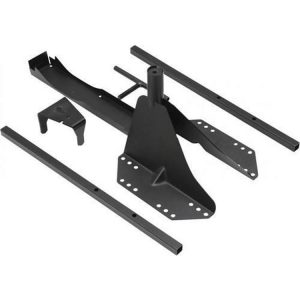
The tire sits two inches farther out than on the factory mount, so check clearance between the tire, the tailgate and any rear body features. Check the package contents against your installation before starting.
What’s included
Hardware for installation should be confirmed against the steps before work begins.
Not included: a spare tire and wheel.