Overview
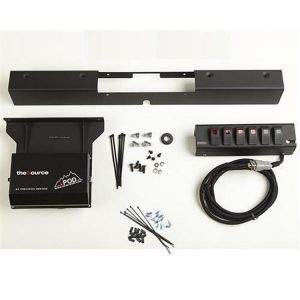
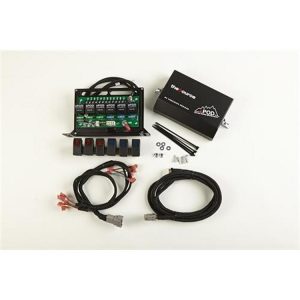
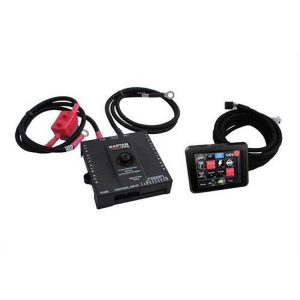
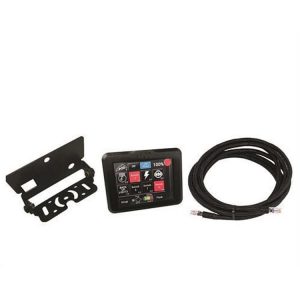
The SPOD 8 Circuit SE System with Touch Screen and Bluetooth, part 8-700-TSB-UNI, is a universal touchscreen controller for truck accessory switching. It is built for universal truck applications rather than one vehicle, and it mounts on a universal articulating bracket.
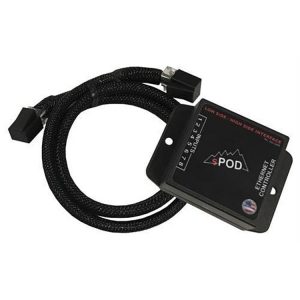
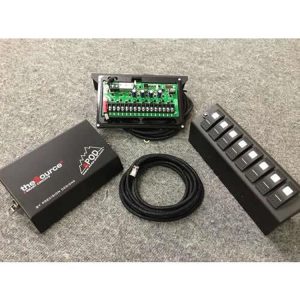
The screen is a 3.5-inch LED-backlit TFT LCD with a 320 x 240 resolution, 16.7 million colors and a 180-degree viewing angle. It sits in a billet aluminum case and connects to the power distribution module through a standard 10 Ethernet cable. Bluetooth LE is standard, which lets you customize the screen from a phone or tablet.
The controller can select among multiple sources, so one touchscreen can control up to 32 circuits, and you move between them with a swipe of the finger. Each switch’s function can be programmed and given its own icon.
Key features
- Voltage feedback showing the battery or alternator voltage
- Board temperature readout on the screen
- Amperage readings for each switch, which work only with the Bantam module
- Three lines of custom legend text per switch, with icons set from a phone or tablet
- On Road/Off Road function switch for safety
- Adjustable backlight dimming, backlight timeout and automatic backlight off
- Deep sleep mode powers the system off after six hours of inactivity or with the engine not running
- One-touch off, and a one-second hold on the off button shuts all circuits down
- Automatic shutdown when the touchscreen is unplugged
Wiring and module planning
A touchscreen controller is only as useful as the system behind it, so plan the power module and wiring before mounting the screen. The controller works with a power distribution module that switches the circuits, and the module’s choice affects which readings the screen can show. Lay out the accessories you plan to run and count the circuits before deciding how many switches you need.
Routing matters as much as the hardware. Keep the control cable away from sharp edges, hot exhaust parts and moving suspension components, and secure it with clips at regular intervals. Leave enough slack at the screen so the articulating mount can move without strain on the connector.
- Count the accessories before choosing circuits
- Confirm the power module choice before ordering
- Secure the cable with clips along its full length
Specifications
| Brand | SPOD |
|---|---|
| Part number | 8-700-TSB-UNI |
| UPC | 700008512291 |
| Display | 3.5-inch LED-backlit TFT LCD, 320 x 240 |
| Colors | 16.7 million |
| Viewing angle | 180 degrees |
| Housing | Billet aluminum with universal articulating mount |
| Connection | Standard 10 Ethernet cable to the power module |
| Wireless | Bluetooth LE |
| Circuits | Up to 32 |
| Not included | Power distribution module (SourceSE or Bantam) and air pressure gauge |
Vehicle fitment
This touchscreen is a universal truck application part, not sized for one vehicle. Its articulating mount is the mounting method, so choose a location in reach of the driver.
Installation notes
The screen links to the power module by a standard 10 Ethernet cable, so plan that cable run before you mount the screen. The power distribution module is a separate purchase, and the air pressure gauge is not part of this kit.