Overview
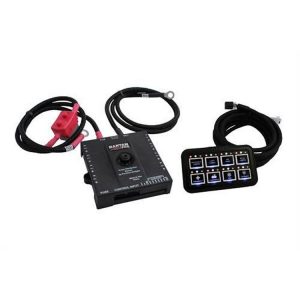
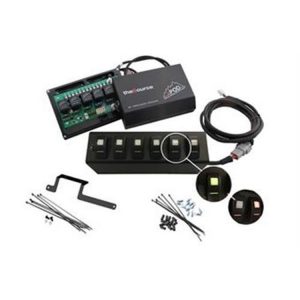
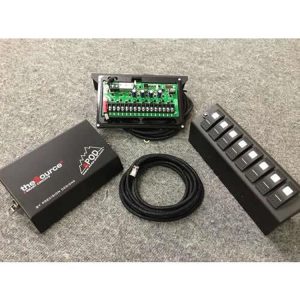
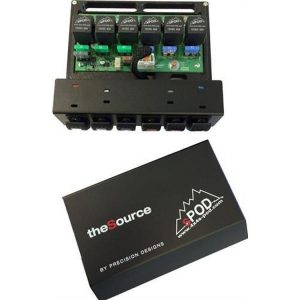
The SPOD 8 Circuit SE System with Touch Screen and Bluetooth, part 8-700-TSB-TAC, is a universal truck touchscreen controller. It is built for universal truck applications with a UNI-90 bracket and is not made for a particular make or model.
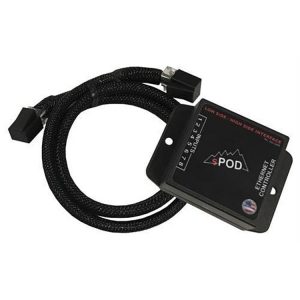
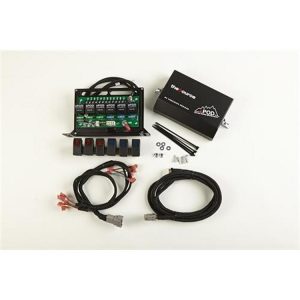
The touchscreen is a 3.5-inch LED-backlit display with 320 x 240 resolution, 16.7 million colors and a 180-degree viewing angle. It is housed in billet aluminum and set on a universal articulating mount, and a standard 10-foot Ethernet cable links it to the power distribution module.
Bluetooth LE is standard for setting up the display, and the switch functions can be programmed from a smartphone or tablet. A single screen can select among multiple sources, so it manages up to 32 circuits.
Key features
- Voltage feedback for the vehicle battery and alternator
- Board temperature feedback shown on the screen
- Amperage readings for each switch, available with the Bantam module
- Three lines of legend text and custom icons on each switch
- On Road/Off Road function switch
- Automatic backlight off with adjustable settings, plus backlight dimming and timeout
- Automatic power off after six hours of inactivity or with the engine not running
- One-touch off, and one-second hold on the off button shuts all circuits down
- Automatic system shutdown when the touchscreen is unplugged
Planning the switch layout
A touchscreen controller is only as useful as its layout. Before mounting, decide which circuits belong on the main screen and which can wait for a second view. Lights, winches, air compressors and auxiliary fuel pumps draw different loads, so group them by how often you reach for them while driving. Keeping the most used switches near the top of the display reduces glancing away from the road, especially on rough trails.
The screen connects to a power distribution module, so the wiring plan matters as much as screen position. Route the Ethernet run away from sharp edges and moving suspension parts, and secure it with clips so it cannot rub. Leave a little slack near the module so the cable can be reached when troubleshooting. Recheck every switch label after the first full power cycle, since a swapped label is easy to miss during setup.
Specifications
| Brand | SPOD |
|---|---|
| Part number | 8-700-TSB-TAC |
| UPC | 700008512321 |
| Display | 3.5-inch LED-backlit TFT LCD, 320 x 240 |
| Colors | 16.7 million |
| Viewing angle | 180 degrees |
| Mounting | Universal articulating mount, UNI-90 bracket |
| Connection | Standard 10-foot Ethernet cable |
| Circuits | Up to 32 |
Vehicle fitment
This is a universal truck application touchscreen, not sized for one vehicle. Choose the mounting spot with the UNI-90 bracket and the articulating mount in mind, so the display stays in reach of the driver.
Installation notes
The 10-foot Ethernet cable is the link between the screen and the power distribution module, so measure the run from the module to the mounting location before you start. Confirm that the run is long enough for the mounting spot before tightening the bracket.
What’s included
The touchscreen comes with its housing and mount. The power distribution module and the air pressure gauge are sold separately.