Overview
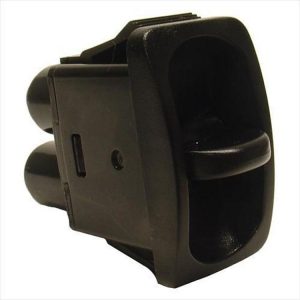
The Warn ATV Winch Mini-Rocker Switch, part number 69206, is a mini-rocker switch for controlling a Warn ATV winch. It is sold as Universal Fit and is not tied to one ATV year, make or model.
Warn’s general copy says its winches and mounting kits are field tested to full winch capacity, and that the mounts attach directly to the ATV’s structure. That statement covers the winch system as a whole, not this switch alone, so check compatibility before ordering.
Key features
- Mini-rocker control design
- Built for ATV winch use
- Universal Fit per the Warn listing
- Warn part number 69206
Switch wiring and use
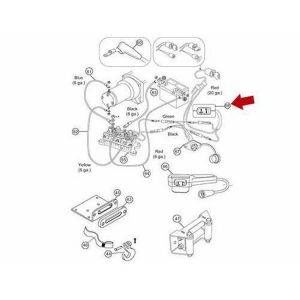
A mini-rocker switch sends a small control signal that tells the winch which way to run, so good wiring matters as much as the switch itself. Connect the leads firmly and keep them away from moving parts, hot exhaust and sharp edges. Use heat-shrink or sealed connectors where the wires meet to block moisture.
Consider how the switch will be used on the trail. Mounting it on the handlebar or near the rider’s hand makes it quick to reach, but it should stay out of the way when the ATV is ridden. Gloves can make small rockers hard to press, so test the feel before heading out.
Look for signs of wear such as sticking motion, intermittent winch operation, or discolored contacts. Test the switch with the winch unloaded after each reconnection, and check the wiring again after the first few uses. Replace worn parts before a heavy pull.
Specifications
| Brand | Warn |
|---|---|
| Part number | 69206 |
| UPC | 12748692065 |
| Product type | Mini-rocker winch switch |
| Fitment listed | Universal Fit |
Vehicle fitment
Warn lists Universal Fit for this switch, so no particular ATV is named. Treat that as general compatibility rather than a confirmed match for one model.
Confirm the switch suits your winch and ATV before ordering. Confirm your vehicle’s year, model and trim before ordering.
Installation notes
Wire the switch to the winch following the wiring guidance that matches your winch. Disconnect the battery before you start.
What’s included
Confirm the package contents against your wiring plan before starting.