Overview
The PCI Race Radios iPhone adapter for intercom (part PRR1003) connects a personal music device to an intercom, so audio from that device can be played through the intercom system.
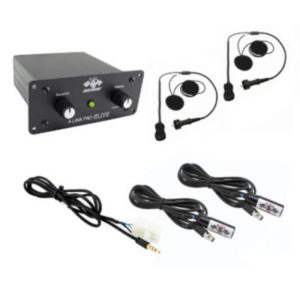
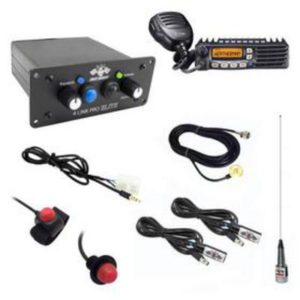
It is used with intercoms that have a white 9 pin Molex connector on the back, such as the PCI 4 Link Pro and Comlink X.
Key features
- Connects a personal music device to the intercom
- Works with intercoms that have a white 9 pin Molex connector
- Matches the PCI 4 Link Pro and Comlink X
- Radio accessory category
Using a phone with an intercom
An intercom adapter sends audio into the intercom system, so the level you hear depends on settings in both places. Start with the phone or music device at a moderate volume, then set the intercom level so voices stay clear. Balancing the two keeps the audio clean and avoids distortion when the system is loud.
Plan the cable path before installing. Keep the lead away from pedals, steering components and heat sources, and secure it so vibration cannot pull the connector loose. Keeping the connection inside the cabin also reduces the chance of damage from loose gear. A tidy install is easier to troubleshoot, and the connector should be checked for a firm seat before each use.
- Set device volume at a moderate level first
- Balance the intercom volume against it
- Route the cable away from pedals and heat
- Check the connector seat before each use
Specifications
| Brand | PCI Race Radios |
|---|---|
| Part number | PRR1003 |
| Part type | Radio accessory |
| Connector needed on intercom | White 9 pin Molex, on the back of the intercom |
| Intercoms named | PCI 4 Link Pro, Comlink X |
Vehicle fitment
This is an intercom accessory and is not tied to any vehicle, so there is no year or model to match. The compatibility check is the white 9 pin Molex connector on your intercom.
What’s included
Check the package contents against your intercom setup before connecting.