
Overview
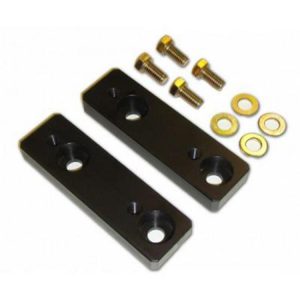
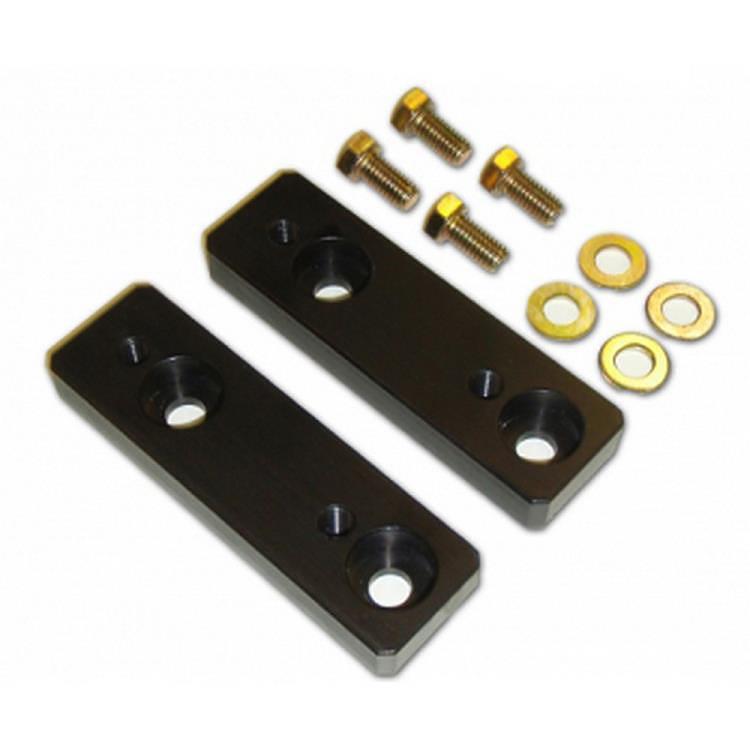
The Icon Suspension 611031 is a front billet aluminum sway bar relocation block. It fits the 2010 to 2017 Toyota 4Runner and the 2010 to 2014 Toyota FJ Cruiser.
Relocation blocks like this one change where the sway bar mounts to the frame, which is the job Icon designed them for on these two Toyota models.
Key features
- Billet aluminum construction
- Front position for the sway bar
- Designed as a sway bar relocation block
- Listed fitment covers the 4Runner and FJ Cruiser by year and trim
Mounting location and clearance
A relocation block moves where the sway bar attaches to the frame, which changes the geometry the bar and links work through. That shift can alter link angle, clearance to nearby parts and how the bar loads the frame. Billet parts are machined from solid stock, which keeps mounting surfaces consistent from one installation to the next.
After fitting relocation blocks, check the sway bar link length and clearance to tires, brake lines and exhaust. Recheck the fasteners after the first drives and watch the bar for even movement. A changed mounting position can alter ride height and steering feel, so testing the setup on familiar roads before longer trips is a sensible step.
- Check link length after installation
- Look for contact with brake lines and exhaust
- Recheck fasteners after initial drives
Specifications
| Brand | Icon Suspension |
|---|---|
| Part number | 611031 |
| UPC | 700006853801 |
| Material | Billet aluminum |
| Position | Front |
| Part type | Sway bar relocation block |
Vehicle fitment
It fits the 2010–2017 Toyota 4Runner, including Limited, SR5, TRD Off-Road, TRD Pro and Trail trims, and the 2010–2014 Toyota FJ Cruiser in Base trim.
The 2018 and newer 4Runner and other Toyota models are not on this list. Confirm your vehicle’s year, model and trim before ordering.
Installation notes
Because the blocks change the sway bar’s mounting location, check sway bar link length and clearance after installing them. Lift and support the vehicle safely before working under it.
What’s included
Check the package contents for hardware and quantity before starting installation.