
Audio & Video
Audio and video covers the electronics that make a trail rig more usable: head units, backup and 360-degree cameras, dash cameras, CB and GMRS radio gear, antennas, speaker pods, phone mounts and USB power. Browse items from Scosche, Brandmotion, Forever Wave and Insane Jeep Audio, then open a product page for part numbers and fitment notes and compare the products below.
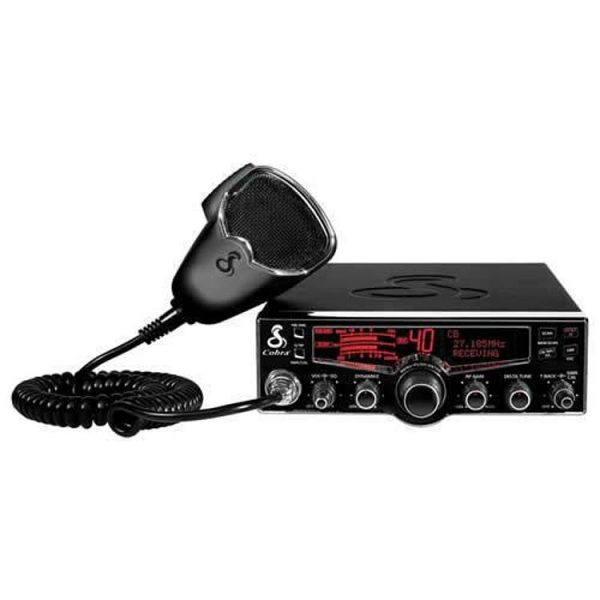
Off pavement, a radio and a clear rear view matter more than a better stereo. This section covers the electronics that keep a group talking and a driver aware: CB and GMRS radios and antennas, backup and blind spot cameras, dash cams, head units, phone mounts and USB power.
CB antennas and mounts are the largest group, followed by phone mounts and rear camera kits. Many camera kits are built for a Jeep JK or JL and are sold by display type, factory screen or aftermarket. Radios run from handheld FRS and GMRS units to classic 40 channel mobile CBs. Decide which radio service your group uses before you buy antennas or mounts.
Shop audio, video and radio gear


Popular audio and video gear
-
Dash Cameras

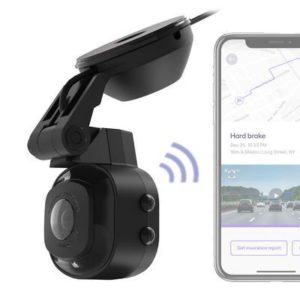
Scosche NEXC1 Full HD Smart Windshield Dash Cam with Suction Cup Mount (32GB Micro-SD) – NEXC11032-SP1
 Dash Cameras
Scosche NEXC1 Full HD Smart Windshield Dash Cam with Suction Cup Mount (32GB Micro-SD) – NEXC11032-SP1
- 1080p full HD video through a 140-degree wide-angle lens
- Includes a 32 GB micro-SD card; supports cards up to 64 GB
- Suction cup mount with auto start and stop when driving
- Records to the Nexar app, with event storage in the Nexar cloud
- Not vehicle-specific
SKU: SIINEXC11032-SP1 -
Audio & Multimedia Receivers
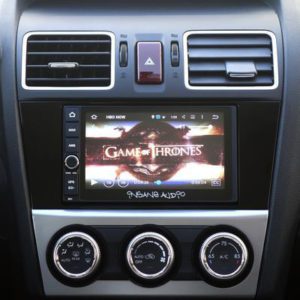
Insane Audio Ultimate Universal Double Din Head Unit – DD2001
- Insane Audio DD2001 universal double DIN multimedia head unit, part number I/EDD2001
- Capacitive touch screen with navigation, USA and Canadian maps and trail maps
- Bluetooth, AM/FM radio, Android and iPhone compatible
- Designed for an aftermarket 2-DIN dash kit and wiring harness; no vehicle is listed
SKU: I/EDD2001 -
Back Up Camera
Brandmotion 360 Calibration Kit – AVMS-3699
- Calibration kit required for installing any Brandmotion 360 degree vision system
- Includes a USB flash drive with software, an SD card and front and rear calibration banners
- Calibration module and harness included
- Needs a Windows-based computer with an SD card reader
SKU: BRAAVMS-3699 -
Mobile Device Mounts and Accessories
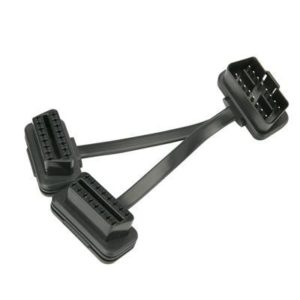
Scosche OBD-II Splitter – OBD290Y
- Universal fit for most vehicles with an OBD-II interface
- 90-degree angled OBD-II plug with two additional OBD-II ports
- Black, 4 inch splitter with wire routing accessories included
- Scosche lists lifetime tech support and a limited lifetime warranty
SKU: SIIOBD290Y -
Audio & Multimedia Receivers
Brandmotion Add-On CD Player Kit – 5000-8752
- Brandmotion add-on CD player kit for the Jeep Cherokee, part number BRA5000-8752
- Single disc authentic OEM CD player
- Installs in the glove compartment with factory style trim
- Requires programming at a Chrysler dealership
SKU: BRA5000-8752 -
CB Radios
Daystar Complete GMRS Radio Kit – KJ71061BK
- Complete GMRS kit: 25 watt base radio, hand held spotter radio and dual band antenna
- Patent-pending Wrangler JK mount above the rear view mirror
- Listed fitment: 2007–2018 Jeep Wrangler (JK)
- Base range up to 13 miles and hand held up to 3 miles
- Four illuminated Daystar Rocker Switches included
SKU: DAYKJ71061BK -
-
Dash Cameras
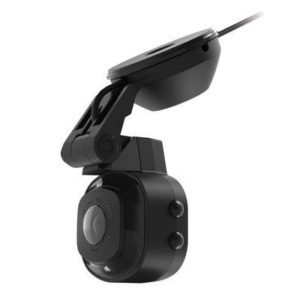
Scosche NEXC1 Full HD Dash Cam with Suction Cup (32GB Micro-SD) – NEXC11032-SP
- Scosche NEXC1 Full HD suction cup dash cam with 32GB micro-SD card, part SIINEXC11032-SP
- 1080P, 140-degree wide angle forward-facing camera with a low-light image sensor
- Starts with driving; auto-loop recording and G-sensor event storage
- Nexar app and cloud storage for significant events and trip data
- Universal fit; micro-SD cards up to 64GB supported
SKU: SIINEXC11032-SP





Radio, camera and power reference
US radio rules and setup values worth knowing before you mount an antenna, plus how the camera and power options in this section differ. FCC rules change, so check the current limits for your service.
Radio service limits (US)
| CB | GMRS | FRS | |
|---|---|---|---|
| Band | 27 MHz (HF) | 462–467 MHz (UHF) | 462–467 MHz (UHF) |
| Channels | 40 | 22 plus repeater pairs | 22 |
| Max power | 4 W AM, 12 W PEP SSB | Up to 50 W on main channels | 2 W (0.5 W on 8–14) |
| License | None | FCC license, no exam | None |
| Removable antenna | Yes | Yes | No |
Rear camera kits by display
| SummitView SUTV-8847 | JK factory display |
|---|---|
| SummitView SUTV-8857 | JK factory display, infrared camera |
| SummitView SUTV-8849 | JK factory display, dual camera |
| SummitView SUTV-8858 | JK/JL aftermarket display, infrared |
| SummitView SUTV-8838 | JK/JL aftermarket display, OEM-grade camera |
| ADD relocation kit | JL: keeps OEM camera and third brake light |
CB antenna setup
- Channel 9 is reserved for emergencies; channel 19 is the common highway channel
- Tune the antenna with an SWR meter; aim for about 1.5:1 or lower
- A 102" steel whip is the classic quarter-wave CB antenna
- Shorter fiberglass antennas trade some range for trail clearance
- Ground the mount to bare metal on the body or frame
- Keep coax away from ignition and spark plug wiring to cut noise
Dash cam and power options
| Scosche NEXC1 | Full HD, suction mount, 32 GB card |
|---|---|
| Scosche NEXS1 | Full HD, adhesive mount, 64 GB card |
| Cobra dash cams | Dual channel, GPS and iRadar versions |
| Scosche DCLS242 | Dual 12 V outlets plus dual 12 W USB |
| Mob Armor harness | Hard-wired dual USB, 3 A |
| USB-A output math | 12 W = 5 V x 2.4 A |
Mount phones, monitors and radios where they stay clear of airbags, pedals and your line of sight, and fuse any hard-wired power feed.
All Audio & Video 171 parts
-
-
Speaker Pods & Boxes
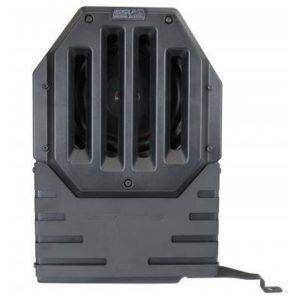
SSV Works 10″ Subwoofer Enclosure with SSV Powersport Woofer – JJK-DS10
- SSV Works 10 inch subwoofer enclosure with SSV Powersport subwoofer, part SSVJJK-DS10
- Fits 2007–2018 Jeep Wrangler (JK) Unlimited 4-door models, including the Rubicon and Sahara trims
- Mounts to factory bolt points with no drilling required
- Reinforced metal plate and 0.7 cubic feet of airspace
SKU: SSVJJK-DS10 -
Speaker Pods & Boxes
SSV Works 10″ Subwoofer Enclosure with Kicker Comp RT Woofer – JJL-DS10K
- SSV Works 10 inch subwoofer enclosure with Kicker Comp RT woofer
- Fits 2018–2026 Jeep Wrangler (JL) Unlimited 4-door models
- Installs in the driver side rear cargo area
- 100% fiberglass construction, part number SSVJJL-DS10K
SKU: SSVJJL-DS10K -
Speaker Pods & Boxes
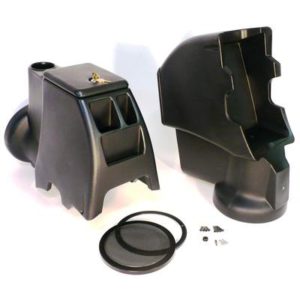
Select Increments Intra-Pod Audio Console with Kicker Subwoofer (Black) – 21576K
 Speaker Pods & Boxes
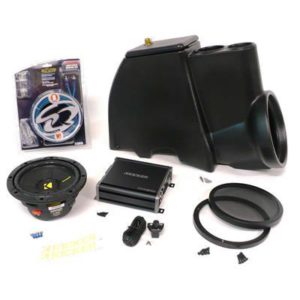
Select Increments Intra-Pod Audio Console with Kicker Subwoofer (Black) – 21576K
- Intra-Pod console with Kicker subwoofer, black, part number SEI21576K
- Fits 1976–1995 Jeep CJ7, Scrambler and YJ models
- Sealed air chamber design for audio response and tight bass
- Vented, concealed amplifier cavity in the base
- Radio holder not included
SKU: SEI21576K -
-
Mobile Device Mounts and Accessories
Scosche Universal 5′ USB Hard Wire Kit with USB-A & Quick Connectors – UHWK-SP1
 Mobile Device Mounts and Accessories
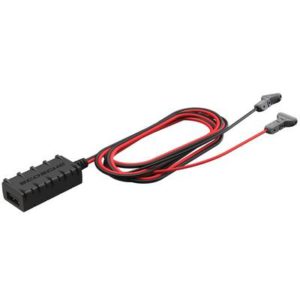
Scosche Universal 5′ USB Hard Wire Kit with USB-A & Quick Connectors – UHWK-SP1
- Universal fit hard wire kit for a Scosche dash cam
- Quick connectors to battery, accessory or ignition 12V power
- Keeps the 12V power socket free for other uses
- Smart circuitry senses the device and supplies the right power
- Includes a dash camera with hard wire kit and 5 ft. power cable
SKU: SIIUHWK-SP1 -
-
Mobile Device Mounts and Accessories
Scosche StrikeLine 4′ Tangle-Free Braided Lightning Cable (Black) – I3B4SG-SP
 Mobile Device Mounts and Accessories
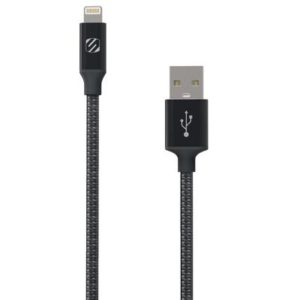
Scosche StrikeLine 4′ Tangle-Free Braided Lightning Cable (Black) – I3B4SG-SP
- Scosche SIII3B4SG-SP 4 ft black braided Apple Lightning cable for charging and syncing
- MFi certified for Apple Lightning devices
- Slim-tip connector fits most device cases without removing the case
- Tangle-free braided design that connects through any USB port
- Universal fit, not tied to a specific vehicle; 3-year warranty
SKU: SIII3B4SG-SP -
Mobile Device Mounts and Accessories
Scosche StrikeLine 4′ Braided USB-C Cable (Black) – CAB4
- Scosche StrikeLine 4′ braided USB-C cable in black, part number SIICAB4
- Universal fit, not tied to a specific vehicle
- Symmetrical USB-C connector that can be inserted either side up
- Charges and syncs USB-C devices such as smartphones, hard drives and laptops
- Premium aluminum housing with a tangle-free braided design
SKU: SIICAB4 -
Mobile Device Mounts and Accessories
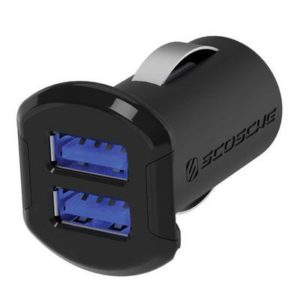
Scosche ReVolt Dual USB Car Charger – USBC242M
- Scosche ReVolt dual USB car charger, part number SIIUSBC242M
- Universal fit, plugs into a 12v power outlet
- 24W and 4.8 amp total output, 12W and 2.4 amp per port
- LED backlight to find the USB port in a dark car
SKU: SIIUSBC242M -
Mobile Device Mounts and Accessories
Scosche PowerUp 600 Torch Flashlight and Jump Starter – PBJF600
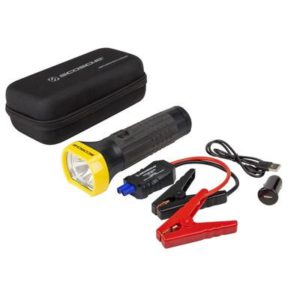 Mobile Device Mounts and Accessories
Scosche PowerUp 600 Torch Flashlight and Jump Starter – PBJF600
- Scosche PowerUp 600 torch flashlight and jump starter with USB charging outlet
- Universal fit, black, with a protective storage case
- Kit includes charging clamps and cables, car adapter and charging cable
SKU: SIIPBJF600 -
Mobile Device Mounts and Accessories
Scosche Portable Car Jump Starter / USB Power Bank with LED Flashlight – PBJ300-1
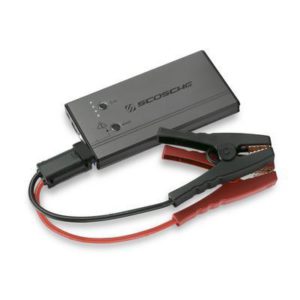 Mobile Device Mounts and Accessories
Scosche Portable Car Jump Starter / USB Power Bank with LED Flashlight – PBJ300-1
- Universal fit for cars, trucks and motorcycles
- 300A peak jump start with a 5,400 mAh portable battery
- 5-Volt (2.0A) USB port for phones, GPS units and cameras
- LED flashlight with SOS and strobe modes
- Part number SIIPBJ300-1 from Scosche Industries
SKU: SIIPBJ300-1


What belongs in this category
Interior electronics for a 4x4 fall into a few groups: entertainment (head units and speakers), visibility (backup, tire carrier and surround cameras), communication (CB and GMRS radios and antennas) and convenience (phone mounts, USB chargers and cables). The subcategories help you narrow to one of these, and each product page lists the part number and the vehicles it suits.
Head units and speakers
Many aftermarket stereos follow a single-DIN or double-DIN size standard, but dash openings in many Jeeps and trucks need a vehicle-specific kit to fit the unit cleanly. Look for the features you will use: smartphone integration, Bluetooth, a camera input and preamp outputs if you plan to add amplifiers. Trail vehicles take moisture, dust and vibration, so weather resistance matters on speakers and pods in open-air builds.
Cameras
- Backup cameras help when a tire carrier or bumper blocks the view. Some are made to mount on an oversized spare.
- 360-degree systems combine several cameras and often need a calibration step after installation.
- Dash cameras record trail and road events. Check storage type, loop recording and whether the unit has a power source that fits your vehicle.
Confirm that a camera is compatible with your head unit or monitor, since video input standards vary.
Radios and antennas
CB and GMRS radios let a group stay in contact when cell service drops. Antenna length, mount location and grounding all affect range. A well-grounded mount on a metal surface generally performs better than one on a loose bracket. GMRS in the United States requires an FCC license for the operator, so review current FCC rules before use. A complete kit lists the radio, antenna and mount together, which simplifies matching.
Power and mounting
Choose chargers with enough output for your devices and use fused circuits. Phone and tablet mounts should hold the device firmly over washboard roads and keep it out of the airbag deployment zone. Mount electronics where they do not block your view or controls.
Installation notes
Disconnect the battery before wiring, and route cables away from pedals and moving parts. Check fitment for your exact year, make and model, since dash trim, antenna bases and camera brackets differ widely. If the work involves factory wiring or airbag components, use a qualified installer.
Common mistakes and compatibility
Many problems with in-vehicle electronics come from mismatched parts rather than faulty ones. A camera might output a video signal the monitor cannot read, or a radio antenna might be matched poorly to the radio and waste power. Read the connection details in each listing and make sure inputs and outputs agree.
- Ground carefully. A poor ground is a common cause of radio noise, flickering monitors and weak antenna range. Use a clean, bare-metal grounding point.
- Add fuses. Every new power wire should be protected near its source.
- Keep antennas apart. Mount CB and GMRS antennas away from other antennas and, where possible, away from roof edges that distort range.
- Plan for dust and water. In open vehicles, choose gear that tolerates splashes, or mount it where it is shielded.
- Check legal use. Some states restrict screens visible to the driver, so check local rules before mounting displays.
Popular Audio & Video brands
- AMI (27)
- Scosche Industries (18)
- Rugged Ridge (18)
- Brandmotion (17)
- Mob Armor (17)
- Firestik (16)
- Cobra (14)
- TeraFlex (9)
- Forever Wave (7)
- Daystar (6)
- Antenna X (5)
- Insane Jeep Audio (5)
Audio & Video FAQ
Do I need a special kit to install a stereo in my Jeep or truck?
Often yes. Many dashes need a vehicle-specific mounting kit and wiring adapter so that an aftermarket head unit fits and connects to the factory harness. Confirm fitment for your exact year, make and model.
What is the difference between CB and GMRS radios?
CB is a short-range citizens band service with no license required, while GMRS usually offers more power and range but needs an FCC license in the United States. Check current FCC rules before using either.
Do 360-degree camera systems need calibration?
Typically yes. After installing, the cameras must be aligned using a calibration process so that the stitched overhead view is accurate. Follow the manufacturer's instructions and the calibration kit requirements.
Where should I mount a phone holder in a 4x4?
Put it within easy reach, clear of the driver's sightline, controls and airbag deployment zones. Make sure the mount is rigid enough for rough roads, and use a secure power cable.